Filter for 'Has Business Email = Yes' on the People page to access 400K+ verified contact details.
Overview
Business Emails
Business Emails are available on Dealroom's platform for people profiles, including founders, angel investors, and C-level executives. 400,000+ verified business emails available.
Three Key Uses
Connect with Startup Founders
Reach out directly to startup founders from recent years using their verified business emails.
Reach Co-Investors
Build relationships by reaching out to co-investors directly through verified contacts.
Engage Senior Decision-Makers
Engage senior decision-makers without traditional gatekeepers.
Access from People Page
Step-by-Step: People Page
- Navigate to the People page.
- Open Filters → Personal Details → set "Has Business Email" to Yes.
- Use the Type dropdown to select user groups (e.g. Founder).
- Apply additional filters like Location.
- Click "View Email" next to selected profiles.
- Use the Export button for workflow integration.
Access from Company Page
Step-by-Step: Company Page
- Go to the Company page.
- Open Filters → Founders → set "Has Founder Business Email" to Yes.
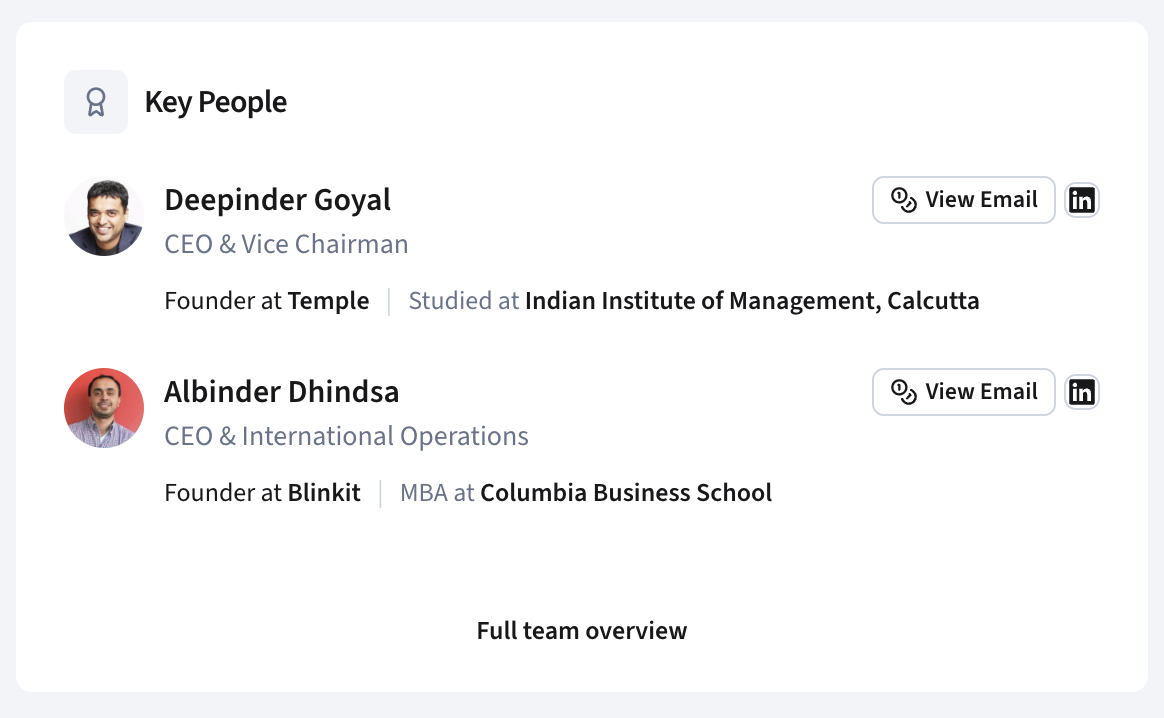
- Select company profiles and hover over names in the Key People section.
- Click "View Email" to reveal contact information.
Search Tips
Search Tips
Maximise results with these search strategies.
Use exact keyword matching
Filter by region
Combine with founder score filters
Export for CRM workflows
Export Tips
Bulk Export of Founder Emails
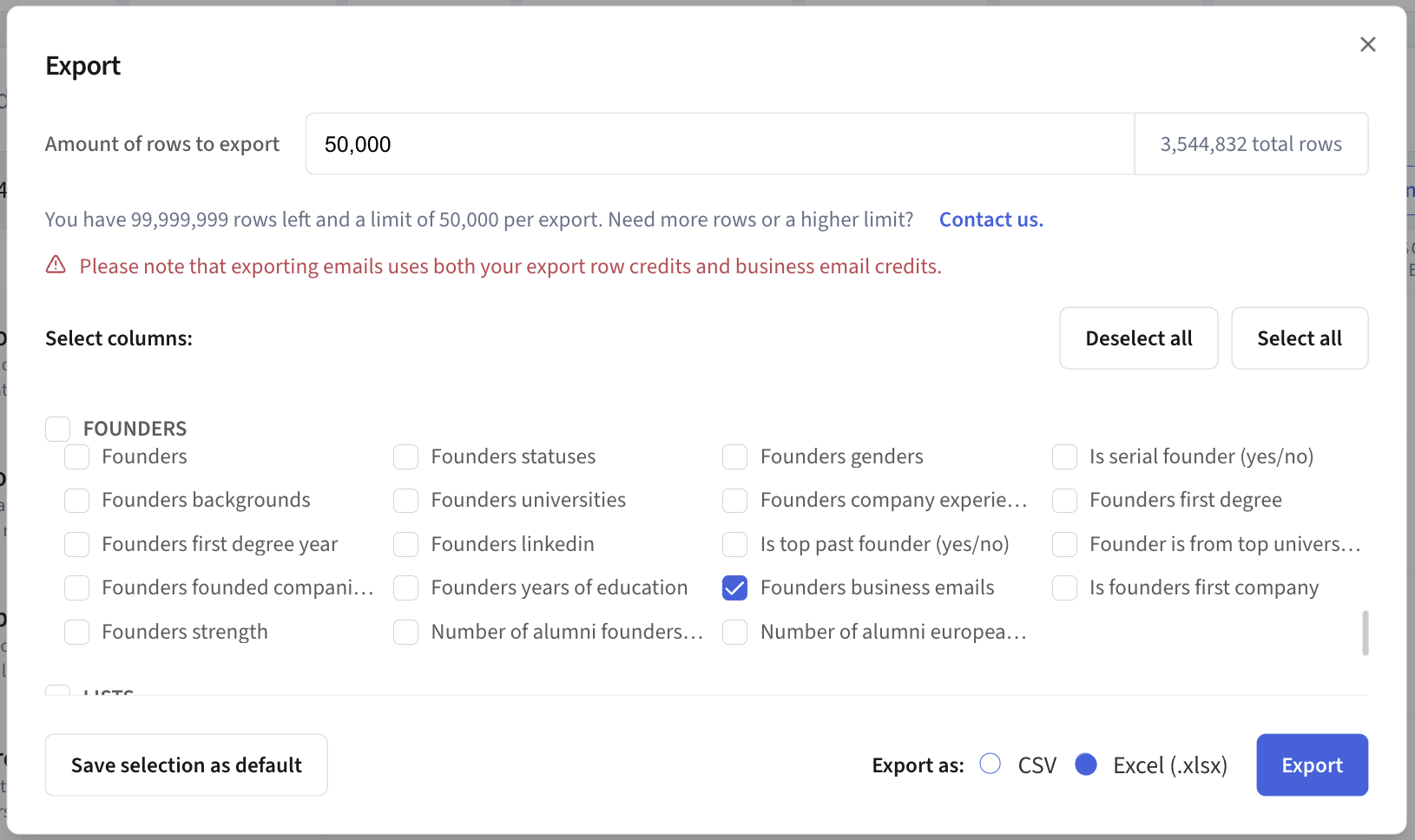
If you have a list of companies, you can export founder business emails in bulk directly from the Companies view.
- Run a company search and apply your desired filters.
- Click the Export button.
- Under the Founders section, tick Founders business emails.
- Choose your format — CSV or Excel (.xlsx) — and click Export.
🔍
No results found
Try a different search term