Need help setting up a Zap? Contact [email protected] and our team will help configure your workflow.
Getting Started
5-step setup guide
Follow these steps to create your first Dealroom Zap:
- Log into your Zapier account.
- Search for Dealroom.co as the app.
- Choose an available trigger.
- Select your destination app and configure the action.
- Test and activate your Zap.
Available Triggers
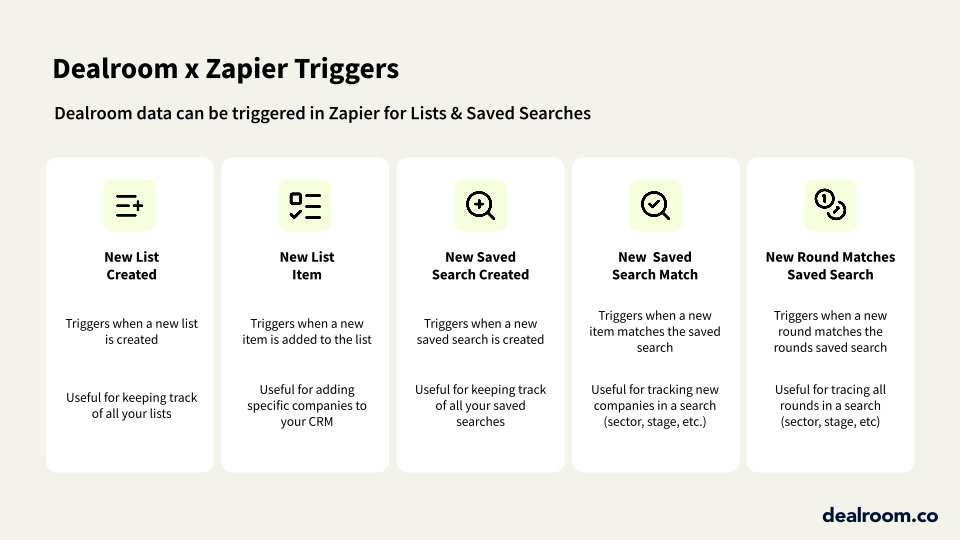
New saved search match
Activated when companies or investors match your saved search criteria. Ideal for real-time deal flow monitoring.
New entity added to a list
Fires when items are added to your Dealroom lists, enabling automatic downstream actions when your lists are updated.
New list created
Triggers upon list creation, allowing you to automate onboarding workflows for new research projects or landscapes.
New saved search created
Activates when saved searches are established, making it easy to log or share new monitoring setups automatically.
Common Use Cases
Workflow automation examples
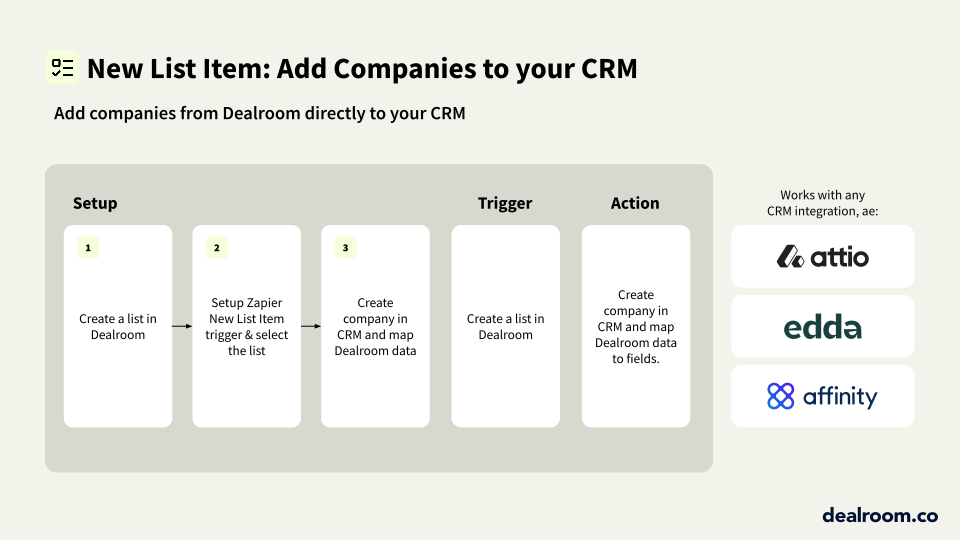
Common ways teams use the Dealroom Zapier integration to automate their processes:
Notify Slack on new search matches
Sync lists to Google Sheets
Push matches to CRM
Create spreadsheet on new list
🔍
No results found
Try a different search term