University Desk
Follow a university’s founder network
Connect universities to founder education records and the companies those founders built.
What this demo does
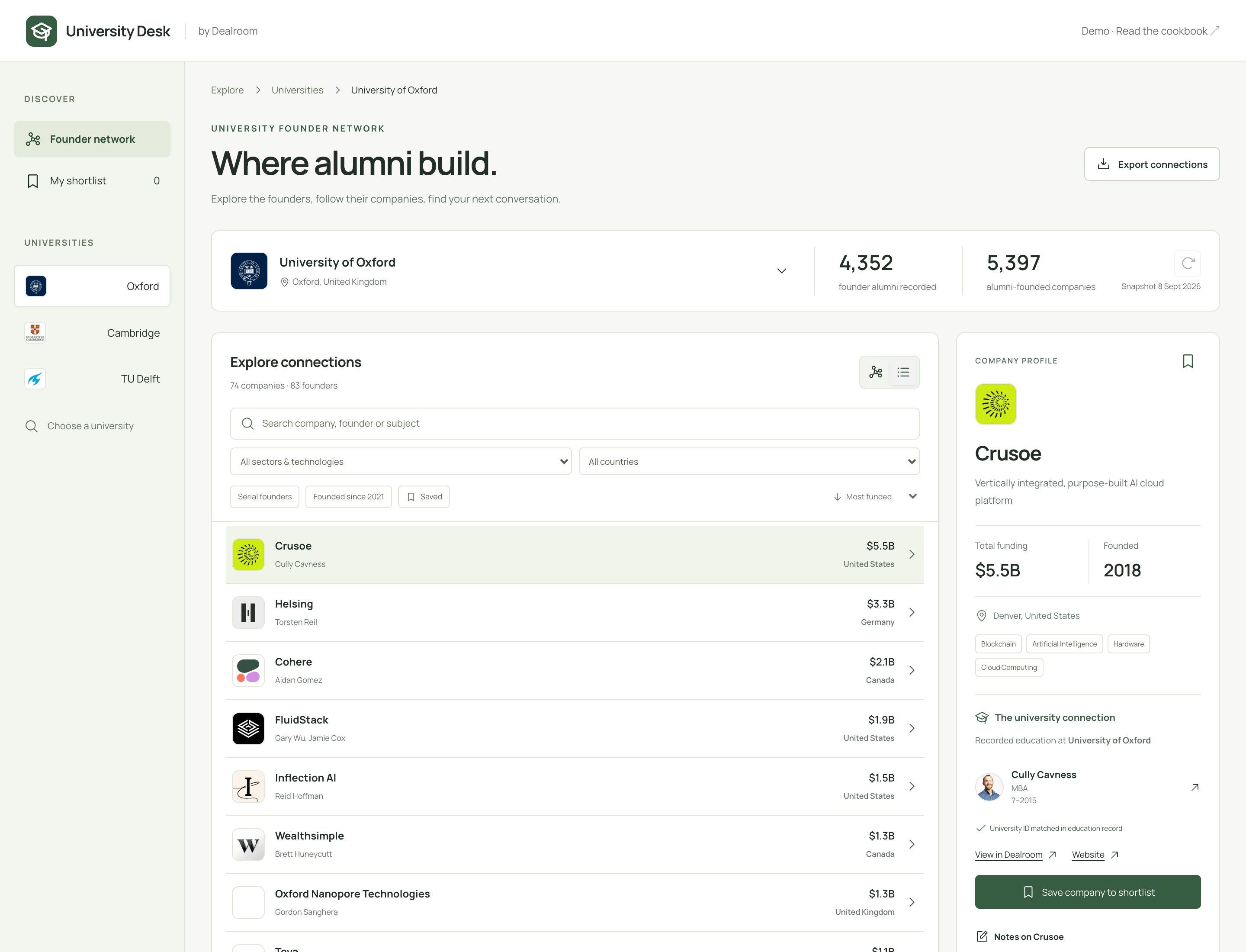
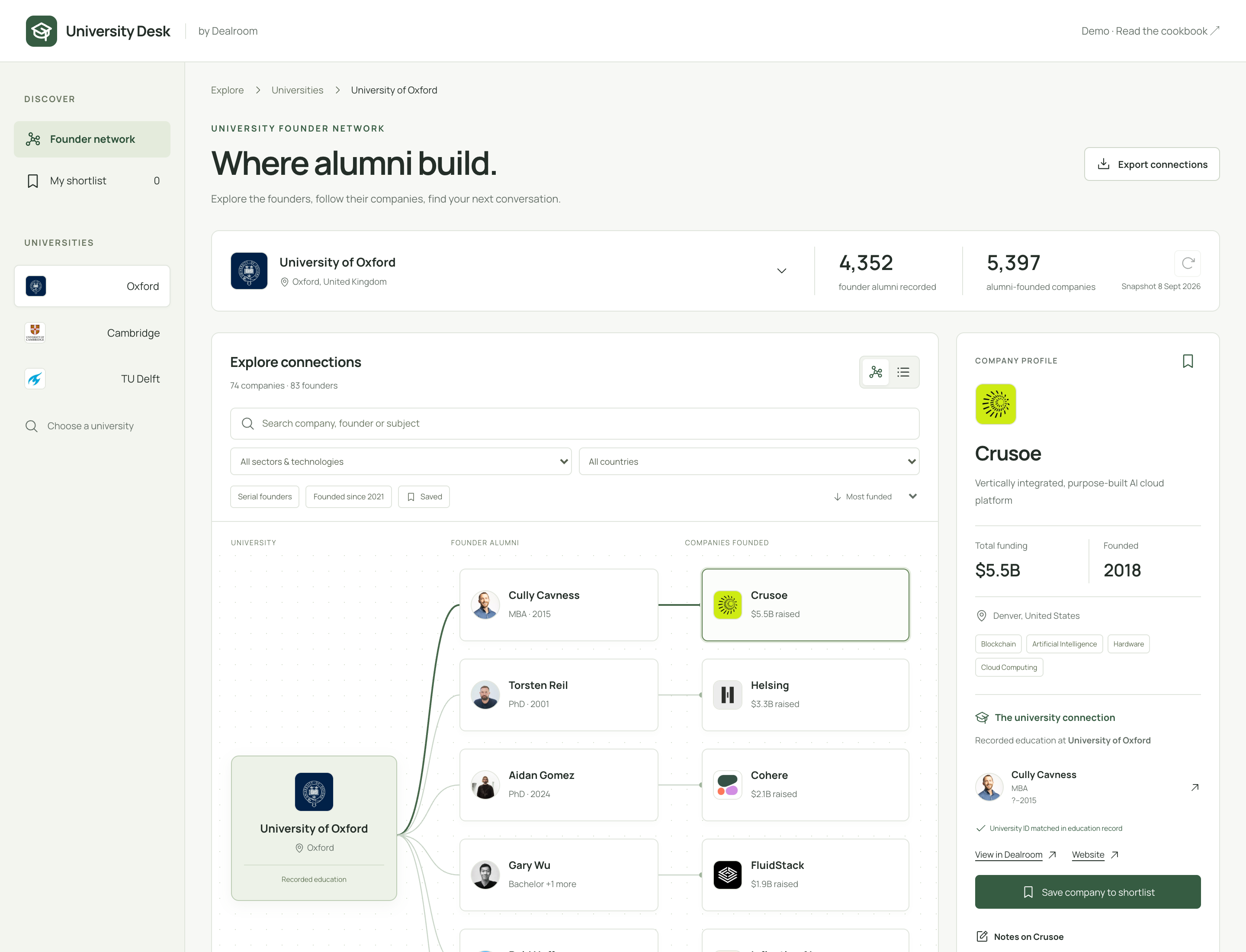
Explore the companies associated with a university, then inspect the founder and education record behind each connection.
The data
Saved networks for Oxford, Cambridge and TU Delft. Each begins with up to 100 funding-ranked company candidates and retains verified university UUID links in founder education records.
What it does not tell you
This is a selected alumni-founder network, not a university census or a spinout list. An education record does not establish degree completion.
Build your own
Copy this into a coding assistant that can build apps. Adapt the brief before you start. You will need your own Dealroom API access for live data; never paste a secret into the prompt.
Read the build prompt
Build University Desk. Let me choose Oxford, Cambridge or TU Delft and explore a university → founder → company network, alongside a filterable company directory.

Resolve each institution by name and website to its UUID. Find company candidates using supported founder-university filters, then retrieve founder education records and retain a connection only when the education record points to the exact university UUID. Deduplicate founders and companies. Keep the evidence visible when I select a connection.

Make the graph useful to explore: readable labels, company logos where available, search, and an anchored detail card showing the founder, education record and company funding. Provide a list alternative and browser-local saved companies. Clearly label the funding-ranked sample and any caps. Do not call all alumni companies spinouts or infer completed degrees.

First read the Dealroom Premium API documentation at https://docs.dealroom.co/docs/premium-api. Discover supported filters and resolve taxonomy IDs rather than guessing them. Check current data availability before committing to a feature.

Use my own Dealroom Programmatic (M2M) credentials through a server-only environment file excluded from Git. Never ask me to paste a secret into chat or embed credentials in frontend code. Implement the documented OAuth2 client-credentials flow, cache tokens, refresh once on expiry, and send Authorization and X-Client-Id. Respect access limits, pagination and Retry-After. Do not silently treat a failed or restricted response as an empty dataset.

Build a working responsive web app, not a mockup. Start with a bounded cohort and cache responses with retrieval dates. Show currency, sources, missing values and partial coverage. Keep a clearly labelled saved-data mode for a public demo. Include loading, empty and error states, accessible keyboard alternatives, tests for the data joins and a README explaining setup. Do not publish, send messages or write to Dealroom without asking me.

Reference demo: https://dealroom.co/api/showcase/university-desk/
Build guide: https://dealroom.co/cookbooks/university-desk/
How it works
These are the data joins behind the app. Confirm current routes, filters and response shapes in the API documentation before implementing them.
Resolve the university
Match the institution’s name and domain, then retrieve its canonical UUID. Names alone are insufficient for the relationship join.
GET /data/search
GET /data/entities/{id}
Find company candidates
Discover the currently supported founder-university filters. Retrieve a bounded funding-ranked company sample and its founder UUIDs.
GET /reference/filters?scope=companies
GET /data/companies
Verify each education link
Fetch founder records in batches. Only draw a university-to-founder edge when the education record contains the exact university UUID. Retain the supporting record.
GET /data/foundersRender both views
Show the network and a filterable company list using the same verified records. Distinguish sample counts from university-wide totals.
Connect safely
Use Programmatic (M2M) credentials in a server-only environment file excluded from Git. The documented OAuth flow returns a token; requests need both Authorization and X-Client-Id. Cache responses and tokens, handle pagination and rate limits, and display retrieval dates and incomplete coverage.
A public version can serve a reviewed saved snapshot. A live shared workspace also needs authentication, storage and controls for who can see personal notes or export records.
Read the API documentation →