Capital Desk
Explore an LP’s manager network
Follow an LP to its recorded investment managers, then inspect the fund vehicles those managers run.
What this demo does
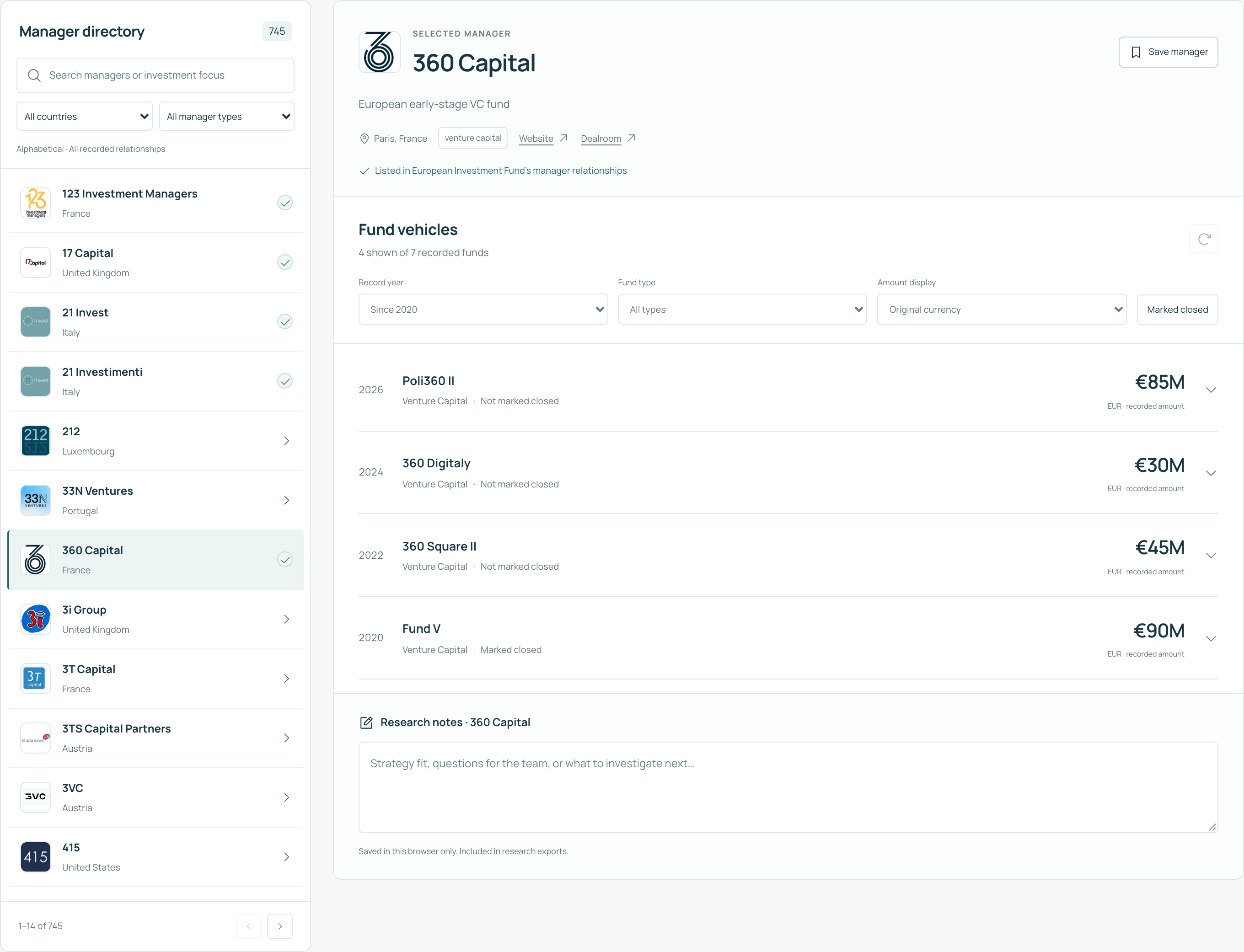
Start with an institution, find a manager in its network and check the reported funds behind that relationship.
The data
Saved networks for the European Investment Fund and Bpifrance. Selected managers include full fund histories; others have only a latest dated fund record or no saved fund data.
What it does not tell you
An LP-manager relationship does not establish an investment in a specific fund. A fund’s size is neither the LP’s commitment nor the manager’s assets under management.
Build your own
Copy this into a coding assistant that can build apps. Adapt the brief before you start. You will need your own Dealroom API access for live data; never paste a secret into the prompt.
Read the build prompt
Build Capital Desk, an LP research app. Start with the European Investment Fund and Bpifrance, with a way to resolve another LP by name and website. Join each LP’s recorded managers to those managers’ fund vehicles.

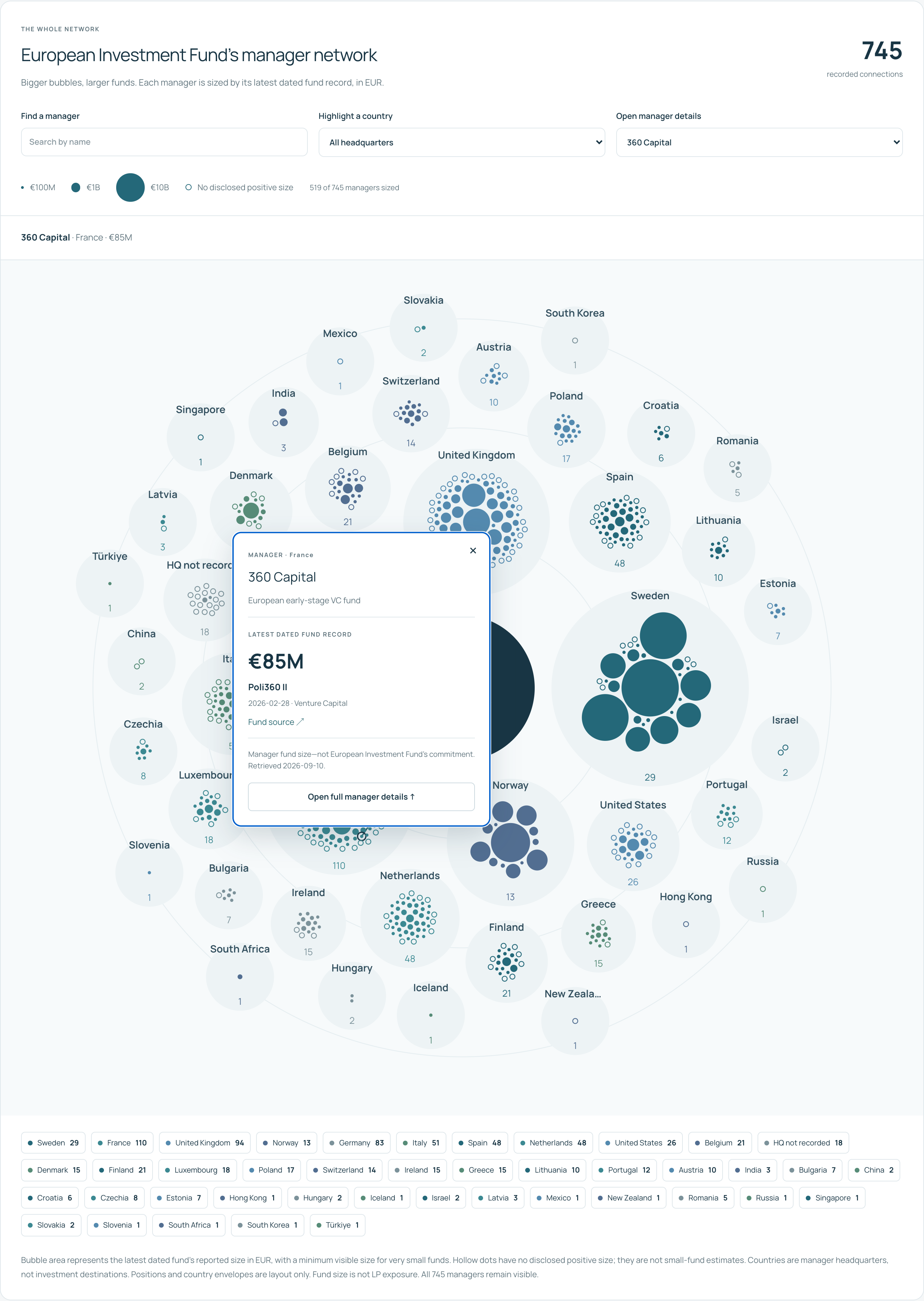
Keep a searchable manager directory and a fund detail panel. Add a country-grouped network: one dot per manager, with area proportional to its latest dated fund’s disclosed positive size in a consistent currency. Use a distinct hollow marker for missing size. Clicking a dot opens an anchored card with the manager, fund name, date, amount and source, without scrolling away. Explain that country grouping reflects manager headquarters.

Let me save managers and keep browser-local notes, with export. Label partial fund histories. Never imply that the LP invested in every displayed fund, or that fund size is LP commitment or AUM.

First read the Dealroom Premium API documentation at https://docs.dealroom.co/docs/premium-api. Discover supported filters and resolve taxonomy IDs rather than guessing them. Check current data availability before committing to a feature.

Use my own Dealroom Programmatic (M2M) credentials through a server-only environment file excluded from Git. Never ask me to paste a secret into chat or embed credentials in frontend code. Implement the documented OAuth2 client-credentials flow, cache tokens, refresh once on expiry, and send Authorization and X-Client-Id. Respect access limits, pagination and Retry-After. Do not silently treat a failed or restricted response as an empty dataset.

Build a working responsive web app, not a mockup. Start with a bounded cohort and cache responses with retrieval dates. Show currency, sources, missing values and partial coverage. Keep a clearly labelled saved-data mode for a public demo. Include loading, empty and error states, accessible keyboard alternatives, tests for the data joins and a README explaining setup. Do not publish, send messages or write to Dealroom without asking me.

Reference demo: https://dealroom.co/api/showcase/capital-desk/
Build guide: https://dealroom.co/cookbooks/capital-desk/
How it works
These are the data joins behind the app. Confirm current routes, filters and response shapes in the API documentation before implementing them.
Resolve the institution
Search by name, confirm the website domain, and use its canonical UUID. Stop for selection when results are ambiguous.
GET /data/search
GET /data/entities/{id}
Join managers to funds
Retrieve the LP’s manager relationships, then each manager’s fund vehicles. For a batch view, query funds across manager IDs. Follow pagination and retain record IDs.
GET /data/investors/{id}/lp-funds
GET /data/investors/{id}/funds
GET /data/funds
Build the network and directory
Group by manager headquarters. Size circles by the latest dated fund amount, using a square-root radius scale. Keep missing amounts missing, even when an older fund has a disclosed size.
Keep the evidence attached
Show the fund date, currency, source link and retrieval date. Store personal notes separately from API facts.
Connect safely
Use Programmatic (M2M) credentials in a server-only environment file excluded from Git. The documented OAuth flow returns a token; requests need both Authorization and X-Client-Id. Cache responses and tokens, handle pagination and rate limits, and display retrieval dates and incomplete coverage.
A public version can serve a reviewed saved snapshot. A live shared workspace also needs authentication, storage and controls for who can see personal notes or export records.
Read the API documentation →